


The Digital Guardian
3.611.00 Reviews
App Specs
- Version
- 5.3.0
- Updated On
- License
- Free
- Downloads
- 10,000+
- Developer
- Guardian Media
- Categories
- News & Magazines
- Platform
- Android
Screenshots
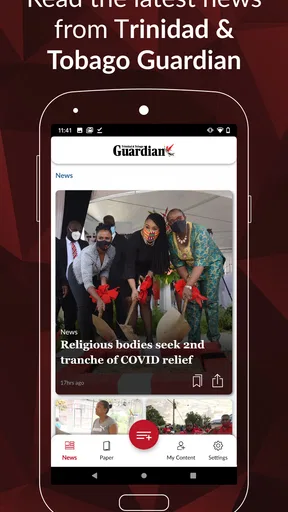
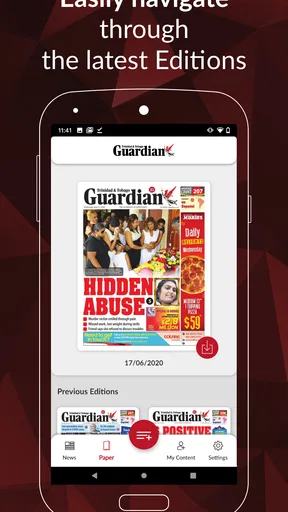
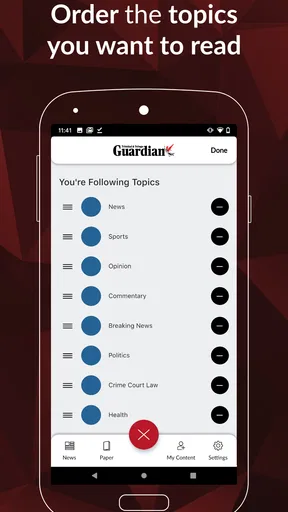
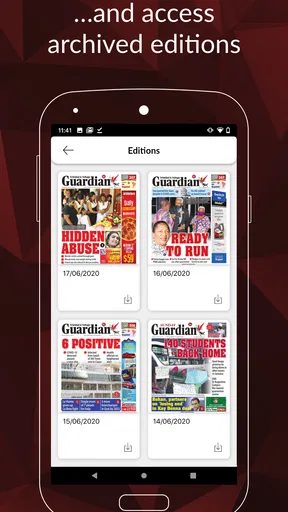
 Analysis by AppCompare
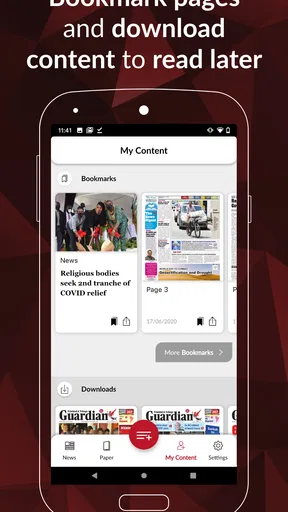
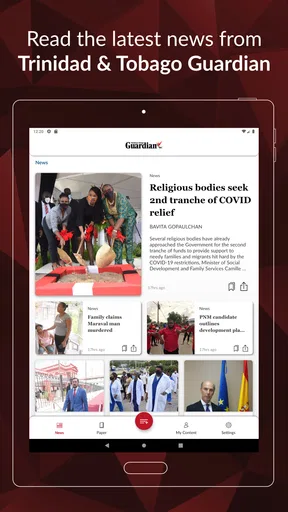
When I want local news without carrying a printed newspaper, I look for an app that gets to the important stories quickly and keeps the reading experience simple. The Digital Guardian is built around that straightforward idea: it brings the Trinidad Guardian newspaper to a phone or tablet. I found it most useful when I wanted a familiar local news source in a portable format rather than a broad international news reader filled with stories I would probably skip.
The app comes from Guardian Media and sits in the News & Magazines category. It is free to download, rated for Everyone, and works on devices running Android 5.0 or later. Its current version is 5.3.0. Those details make it accessible to a wide range of Android users, including people who are not using a recent phone. The trade-off is that the app is not simply a general news feed; its value depends on whether the Trinidad Guardian is the publication you actually want to follow.
How I would decide whether it belongs on my phone
My first decision criterion is local relevance. If your daily news needs center on Trinidad and the Guardian’s coverage, this app has a clear purpose. It is more focused than a general news aggregator, where local stories can be buried beneath international headlines, opinion pieces, entertainment updates, and algorithmically selected recommendations. I would choose it for someone who wants a direct connection to one newspaper rather than a menu of unrelated sources.
The second criterion is reading habit. I see the app working best for people who check news in short sessions: during a commute, while waiting for an appointment, or at the start of the day before opening several other apps. A focused newspaper app can reduce the time spent searching. Instead of building a news list from multiple publishers, I can open one place and begin with the publication I already intended to read.
The third criterion is tolerance for a publication-specific experience. A dedicated newspaper app will naturally feel narrower than a news portal. That is not automatically a weakness. Narrow coverage can be useful when it matches the reader’s priorities, but it can feel limiting if you expect extensive international reporting, many viewpoints, or a constantly changing stream from different publishers.
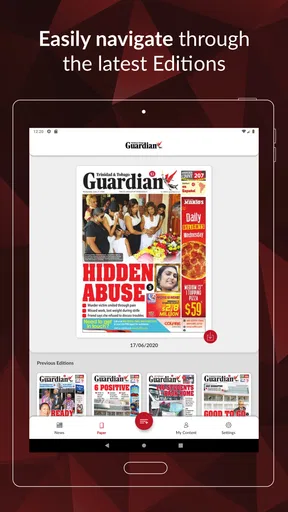
I would also consider how important convenience is compared with the physical paper. The app avoids the need to carry a newspaper and makes the publication available on a mobile screen. For some readers, that is the main reason to switch. For others, the larger page layout and tactile feel of print may still be preferable. The right choice depends less on technical enthusiasm and more on how you already consume news.
A practical morning routine
Imagine checking the news before leaving home. I would open the app, scan the available Guardian coverage, and decide which stories deserve a full read. That workflow is more useful than endlessly scrolling through a broad social feed because the source is already selected. If I have only a few minutes, I can use the app as a first pass and return to the more important articles later.
Worth Reading Before You Choose

EA SPORTS FC Mobile 26 Is a Bigger Football Game, but It Takes Time

Flipboard Shows What News Apps Must Do Beyond the Feed

Switching to Android Auto Means Rethinking Your Driving Routine

Google Calendar Makes a Crowded Week Easier to Manage

Ludo King Makes the Most of the Minutes Between Plans

Baby Panda World Brings Quick Play to Modern Phones, but Its Game Library Feels Busy
There is another useful scenario for people who live away from Trinidad but still want a connection to home. A focused newspaper app can make local developments easier to follow than relying on friends’ posts or scattered links. I would still compare major stories with other sources when the subject is especially important, but the app can serve as a dependable starting point for keeping up with the country.
The same focus can help families. One person may use the app for current affairs, another for community news, and someone else for cultural or general-interest coverage. Rather than passing around a physical copy, each reader can check the publication on their own device. That is a small convenience, but it is exactly the sort of everyday benefit that makes a newspaper app worthwhile.
Where The Digital Guardian works best
The strongest part of the experience is its clear identity. The Digital Guardian is best understood as a mobile doorway to a specific Trinidadian newspaper, not as a replacement for every news source. That distinction helped me judge it fairly. I would not install it expecting a worldwide news dashboard; I would install it because I want the Guardian’s perspective and coverage available while I am away from a printed edition.
The focused approach also makes it easier to build a repeatable reading habit. With a general aggregator, I often spend time adjusting topics, dismissing unwanted sources, and deciding what to trust. A publication-based app removes much of that setup. The editorial identity is already established, so the decision becomes whether the current Guardian coverage is relevant to me.
Another advantage is accessibility. The app is free to download and carries an Everyone content rating, so it is not positioned as a specialist tool for a narrow technical audience. Its Android compatibility reaches back to version 5.0, which matters for readers using older devices. Someone with a modest or aging phone may have a better chance of trying it than with an app designed only for the newest operating systems.
The public response suggests a mixed but meaningful reception: the app has an average rating of 3.6 from around 255 ratings, alongside around 11 written reviews. I read that as a reason to keep expectations practical. There is enough interest to show that the app serves a real audience, but the rating does not suggest that every reader will find the experience flawless. I would try it personally before making it the only way I follow the news.
One non-obvious benefit of a dedicated source is editorial continuity. When I return to the same publication, I become more familiar with its way of presenting local issues and its regular areas of coverage. That can make it easier to notice developing stories over time. The benefit is not a special feature; it comes from using one consistent source instead of treating every headline as an isolated item.
How to get more value from a focused news app
I would avoid opening the app only when a major event is already trending. A better approach is to use it as a regular check-in, even if the session is brief. That makes the app useful for context, not just breaking headlines. If a story develops across several days, returning to the same publication can help me follow the sequence instead of encountering a single excerpt through a social network.
I would also decide in advance what role the app plays. For example, it can be my local-news source while a separate publication handles international coverage. That division prevents disappointment. The app does not need to answer every news question to be valuable; it only needs to do its chosen job well enough to earn a place in my routine.
For readers who are sensitive to screen fatigue, I would keep sessions intentional. A phone is convenient, but it is still a small display compared with a newspaper or tablet. I would read the stories that matter, close the app, and return later rather than trying to consume everything in one sitting. This makes the mobile format feel like a benefit instead of another endless feed.
Where another type of news app may fit better
I would look elsewhere if my main interest is international news from many publishers. A general news aggregator is usually a better match for comparing coverage across countries and outlets in one place. It may also suit readers who want topic-based discovery rather than a single newspaper’s editorial selection. The Digital Guardian’s focus is an advantage for local loyalty, but a limitation for broad comparison.
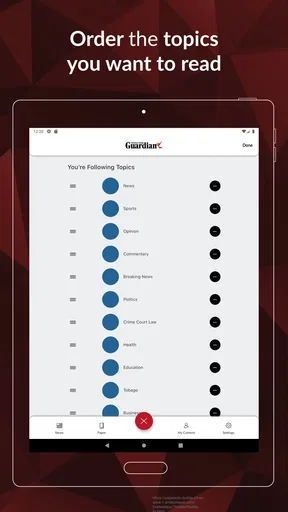
I would also consider alternatives if I need a highly personalized feed. Some news services are designed around selected interests, keywords, or multiple subscriptions. That kind of setup can be useful for someone following a specialized subject such as technology, finance, sport, or global politics. The Guardian app makes more sense when the publication itself is the priority, not when customization is the main attraction.
People who prefer audio news, newsletters, or social updates may find a newspaper app less natural. I tend to recommend it to readers who are comfortable opening an app and reading articles directly. If your ideal morning routine is listening while driving or receiving a short briefing in an inbox, a different format may fit your day better.
Print loyalists should think about the cost of changing habits, not only the download. Moving from paper to a phone means adjusting to a smaller screen, touch controls, and a less physical sense of browsing. Some readers enjoy that flexibility immediately; others miss seeing the whole page at once. I would not switch solely because digital sounds modern. I would switch if portability and quick access solve a real problem.
There is also a source-diversity trade-off. Reading one newspaper regularly can build familiarity, but it can also narrow the range of voices I encounter. For important public issues, I prefer using the app as one part of my reading routine and checking other reputable sources when I need broader context. That is not a criticism unique to this app; it is the natural consequence of choosing a single-publication service.
What switching involves financially and practically
The initial barrier is low because the app is free to download. That makes experimenting easy: I can install it, use it during a normal week, and decide whether it improves my news routine before committing to it as a regular tool. The app includes in-app purchase options ranging from $6.99 to $69.99 per item, so I would pay attention to any purchase screen and understand what an offered item provides before confirming it.
That pricing range is important for decision-making because “free” does not necessarily mean every part of the experience is cost-free. I would treat the download as an opportunity to evaluate the app, then review any optional purchase carefully. If I only need occasional local headlines, paying for additional access may not make sense. If the app becomes my preferred way to follow the Guardian, the value depends on how often I read and what the purchase unlocks.
The practical switching cost is mostly habit. If I currently use a browser, social media, or a printed paper, I need to remember to open this app instead. I would place it near the other apps I check in the morning and use it at a fixed time for the first week. That small routine is more likely to make the app useful than installing it and waiting for it to become part of my day automatically.
Storage and device age may also influence the decision, although the broad Android requirement is reassuring for older phones. I would still keep expectations realistic on a small or slow device: reading on a phone can be comfortable, but navigation and display quality depend on the hardware. A tablet may be the better choice for long reading sessions, while a phone is more convenient for quick checks away from home.
One practical tip is to separate reading from sharing. I would first read the full context of a story in the app before forwarding a headline or discussing it elsewhere. This is especially useful with local news, where a short headline may not convey the full situation. The app’s value increases when it becomes a source for informed reading rather than just a place to collect links.
My recommendation for different readers
I recommend trying The Digital Guardian if you want Trinidad-focused news from Guardian Media, prefer a direct newspaper experience, and value having that source with you on an Android device. It is particularly suitable for readers who want a simple local-news habit, people keeping up with Trinidad while abroad, and anyone replacing a printed copy with something more portable.
I would be more cautious if you expect a large mix of publishers, deep personalization, audio-first listening, or a complete international news service. In those cases, an aggregator, a broader newspaper collection, or another format may serve you better. You can still use this app alongside those options, but I would not choose it as your sole source unless its local focus matches your priorities.
The app’s 10K-plus installs show that it has reached a real audience, while its moderate average rating suggests that a personal trial is sensible rather than assuming universal satisfaction. I like that the entry point is easy, but I would judge the experience by my own reading routine, device, and willingness to consider optional purchases. Those factors matter more than the download count alone.
For me, the final decision is simple: this is a focused newspaper companion, and that focus is both its reason to exist and its main limitation. If I want the Trinidad Guardian close at hand, it is a sensible app to test. If I want the entire news world gathered into one personalized stream, I would choose a different category of service. Install it for local connection and convenience, not for breadth. That expectation leads to the fairest and most useful experience.
Pros
- Monitors app activity and device usage in the background.
- Can help identify unusual behavior or potential security risks.
- Provides useful oversight for family or managed devices.
- Supports proactive alerts instead of relying only on manual checks.
- May improve awareness of privacy and security habits.
Cons
- Background monitoring may increase battery and data consumption.
- Some features may require a subscription or additional permissions.
- Alerts can become intrusive when activity is frequently detected.
- Setup may feel complex for users unfamiliar with security tools.
- Privacy-conscious users may dislike continuous device monitoring.
FAQs for The Digital Guardian
What is The Digital Guardian and what does it do?
The Digital Guardian is generally presented as a digital safety and monitoring application designed to help users manage online activity, protect personal information, and maintain greater control over connected devices. Depending on the version and platform, its tools may include security alerts, activity monitoring, privacy controls, or parental supervision features. Before downloading, review the official app description carefully because available functions can differ between Android, iPhone, subscription plans, and regional releases.
Is The Digital Guardian safe to install and use?
The Digital Guardian may be useful for improving awareness of device activity and online safety, but users should examine its permissions before completing installation. Monitoring apps can request access to notifications, usage data, location, contacts, or other sensitive features. Install it only from an official app store, check the developer name, read recent reviews, and confirm that its privacy policy clearly explains how collected information is stored, used, and shared.
Does The Digital Guardian require a subscription or include in-app purchases?
The Digital Guardian may offer a free download while reserving advanced monitoring, reporting, protection, or family-management tools for a paid plan. Pricing, trial periods, and renewal conditions can vary according to the operating system and location. Before starting a trial, check the billing screen and cancellation instructions carefully. A trial that is not canceled on time may automatically become a recurring subscription through Google Play or the App Store.
Can The Digital Guardian monitor another person’s phone or activity?
The answer depends on the specific edition and its intended purpose. If The Digital Guardian includes family or parental-control functions, it may allow activity supervision on supported devices after proper setup and consent. It should not be used for secret surveillance, unauthorized account access, or tracking another adult without permission. Users should follow local laws, explain monitoring clearly, and verify whether the app requires installation or configuration on both devices.
What should I check before downloading The Digital Guardian?
Before downloading The Digital Guardian, confirm that your phone meets the listed Android or iOS requirements and that the application is available in your country. Read the permissions, privacy policy, developer information, user reviews, and subscription terms. Also check whether the app works without an account, requires continuous background access, affects battery life, or needs a companion app. These details help determine whether its security and monitoring features suit your needs.


